Thursday, 1 December 2016
Typography Technique Video BBC (Missing Words) December 1st 2016
Type design can give your words a (1) voice It can really add meaning and enhance the (2)message of your words. For example, on the Dizzie album they have used some really (3)checky and chunky typography here. It not only (4)ilustrates the word but loads it with (5)character and it's great for someone that has personality like Dizzie. In contrast to this one, I've got the Saturdays album and the typography here is really (6)elegant and beautifully crafted. It's much much more (7)femenine than the Dizzie one and it works very well with the fashionesque shoot on the front. In total contrast to my last two albums, I've got the Prodigy Dirtchamber sessions. They've used found and (8)distracted type on the front cover and all the way through the album including the booklet where they've hand (9)scratched all the track names into the booklet. And I think this works really beautifully with the (10) mishmash of music that is on the CD.

Thursday, 24 November 2016

Thursday, 10 November 2016

Thursday, 3 November 2016

Thursday, 20 October 2016
Illustrator tools
Illustrator tools
We have been asked test our illustrator knowledge to edit each of the shapes differently, by following the instructions.


This is what it looked like in the end after I finished.

Thursday, 13 October 2016
Blog addresses
|
Rafi
|
|
|
Derice
|
|
|
Shawn
|
|
|
Shahan
|
|
|
Lenward
|
|
|
Arman
|
|
|
Bekki
|
|
|
Zuheir
Mekki
|
|
|
Sheily
|
|
|
Sajeda
|
|
|
Samir
|
|
|
Reuben
|
|
|
Abdi
|
|
|
Nisrine
|
|
|
Alexandr
|
|
|
Mohammed
Zia
|
|
|
Mijanur
|
|
|
Danilo
|
|
Thursday, 6 October 2016
Pathfinder Challenge
Pathfinder Challenge
First I create a new file in Illustrator

After That I used the shape tool and made a circle with no fill.


I made 2 more circles by copying and pasting, placed them close together so they overlap each other and changed their color.
 After that I selected them all and expanded them and diveded them like so


Finally I used the direction selection tool to select the part where both circles interact and change the color.

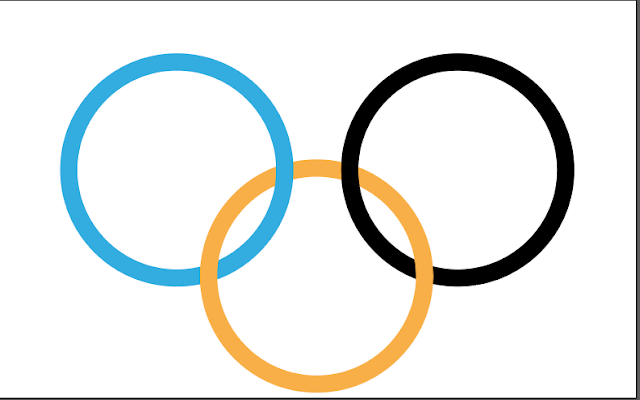
This is what it looks like in the end.


Finally I used the direction selection tool to select the part where both circles interact and change the color.


Subscribe to:
Posts (Atom)